
For our service where Artivation engineers join your team and build with you, see FDE (service). This page introduces a tool for doing FDE yourselves.
Product · Artivation FDETools for teams that work on-site to build business apps
Artivation FDE is a tool for companies that want to do FDE (Forward Deployed Engineering: engineers join a customer's team and build that customer's business apps together with them) themselves. It suits development firms, in-house development teams, and companies providing business improvement services.
Problems we solve.
When you build on-site with customers, what you've heard, what's been decided, what to build, and customer approvals tend to scatter across meeting notes, chats, and task sheets. Neither the customer nor the team can see how far things have progressed or who is waiting on what.
What you can do.
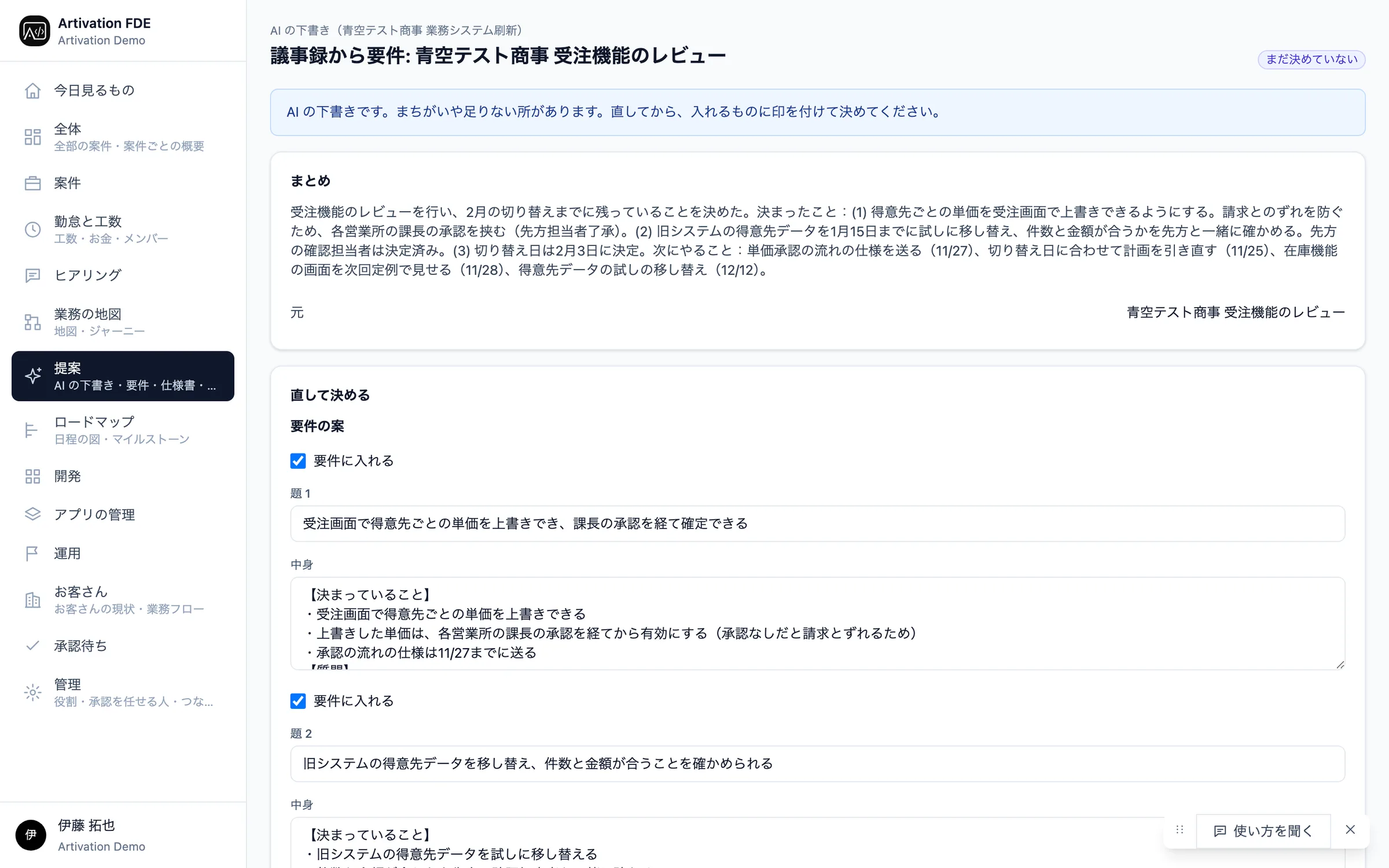
Record what you hear from customers as requirements and specifications
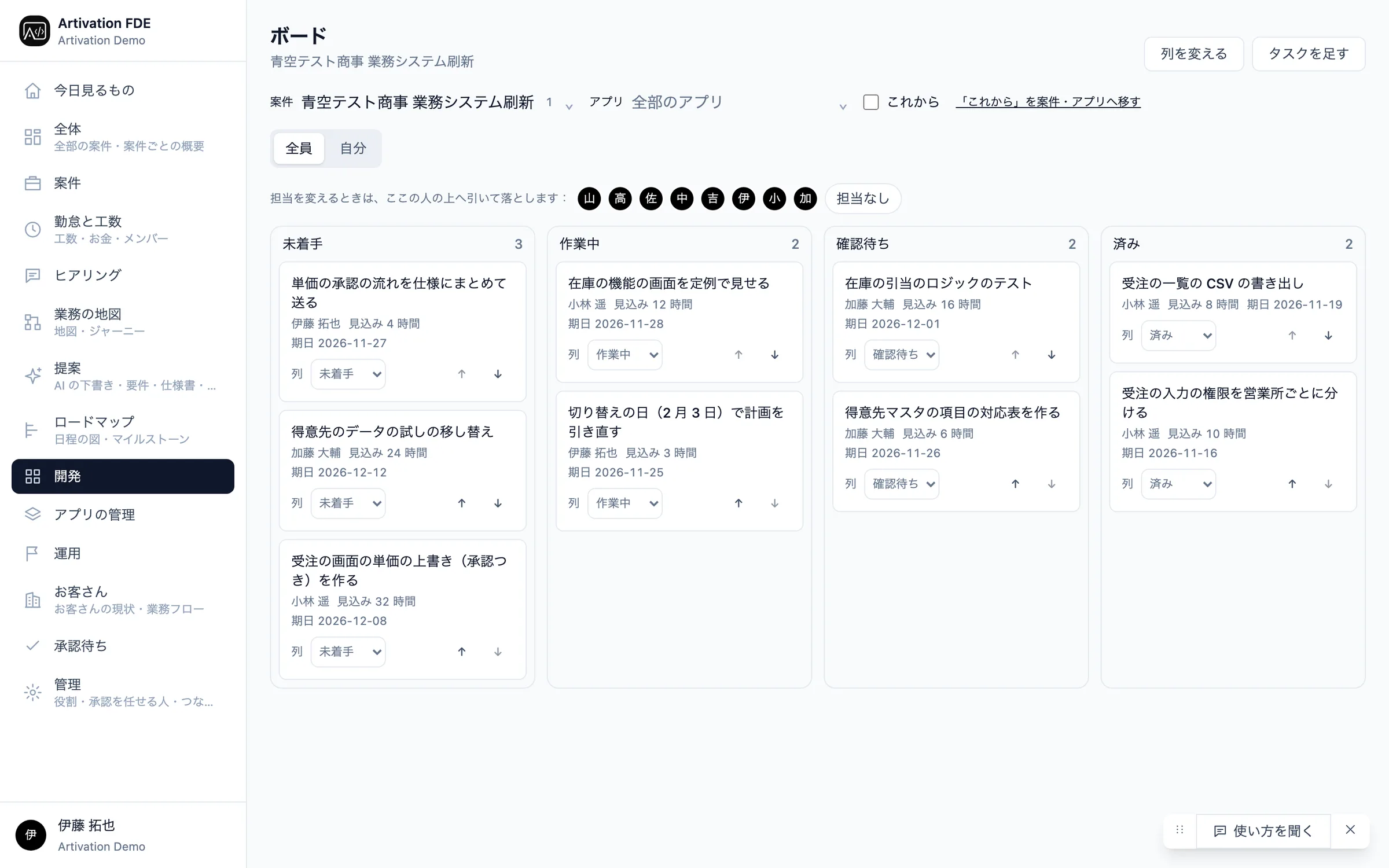
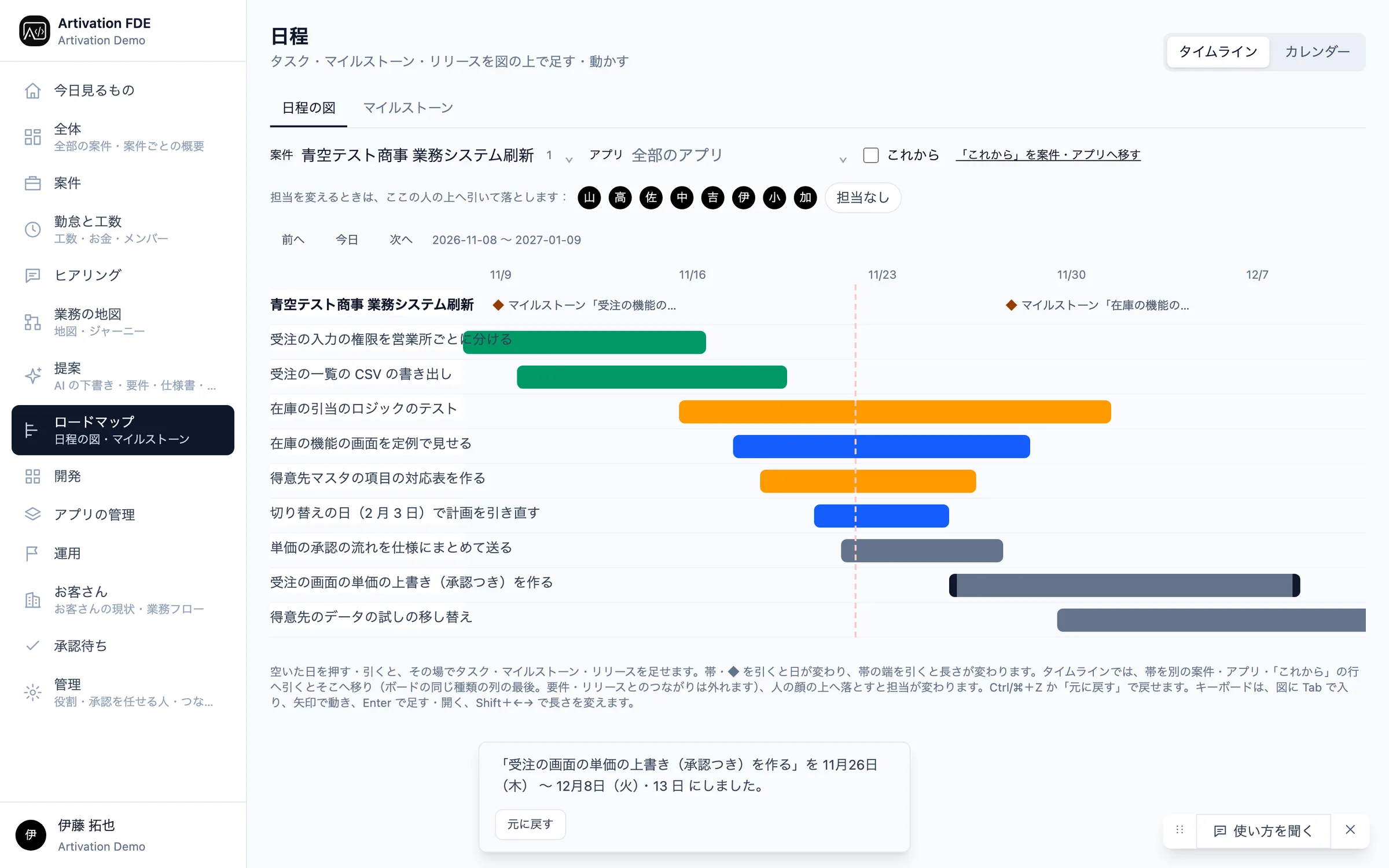
Move tasks on a board, and move schedules on a timeline or calendar
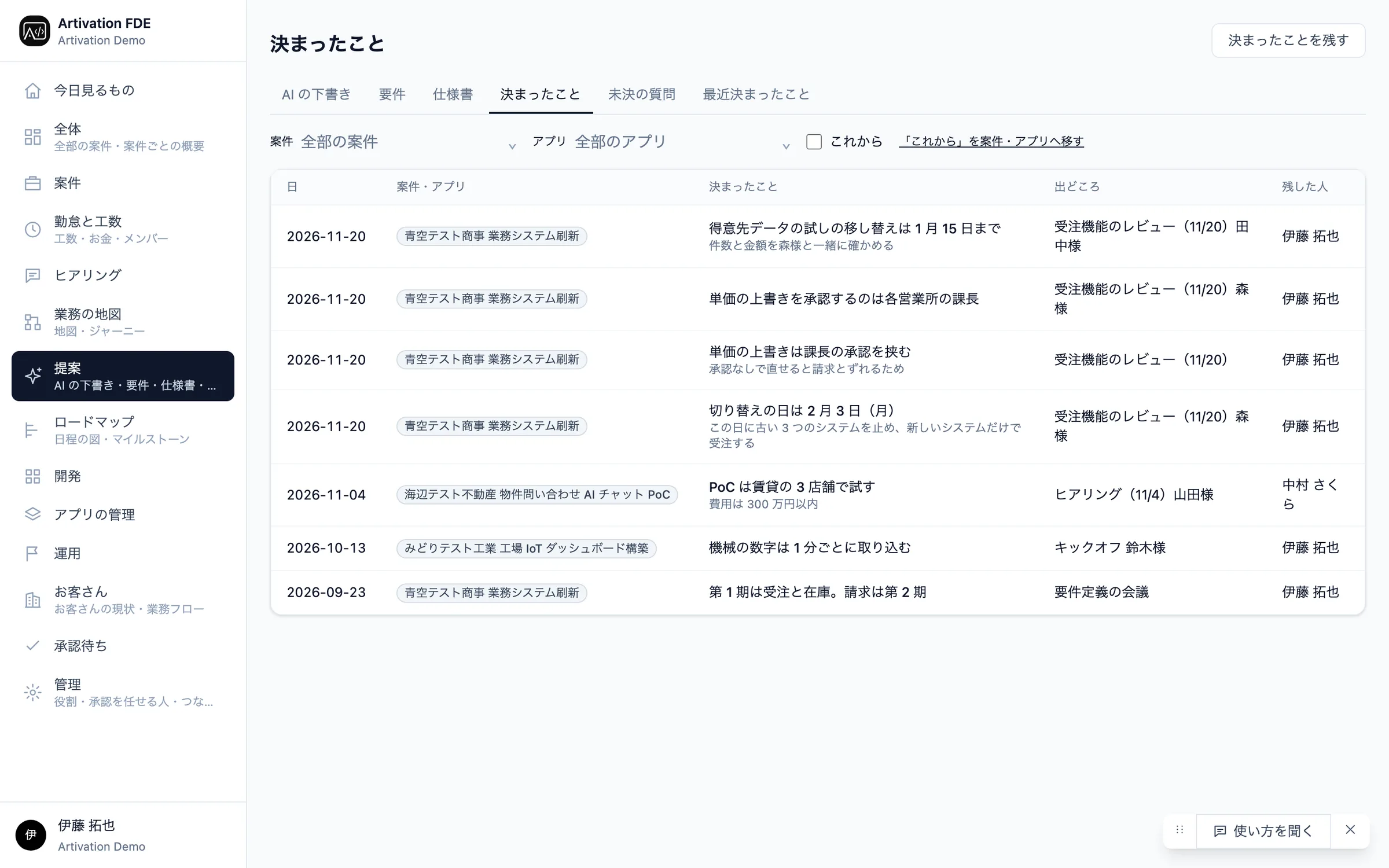
Record decisions and open questions
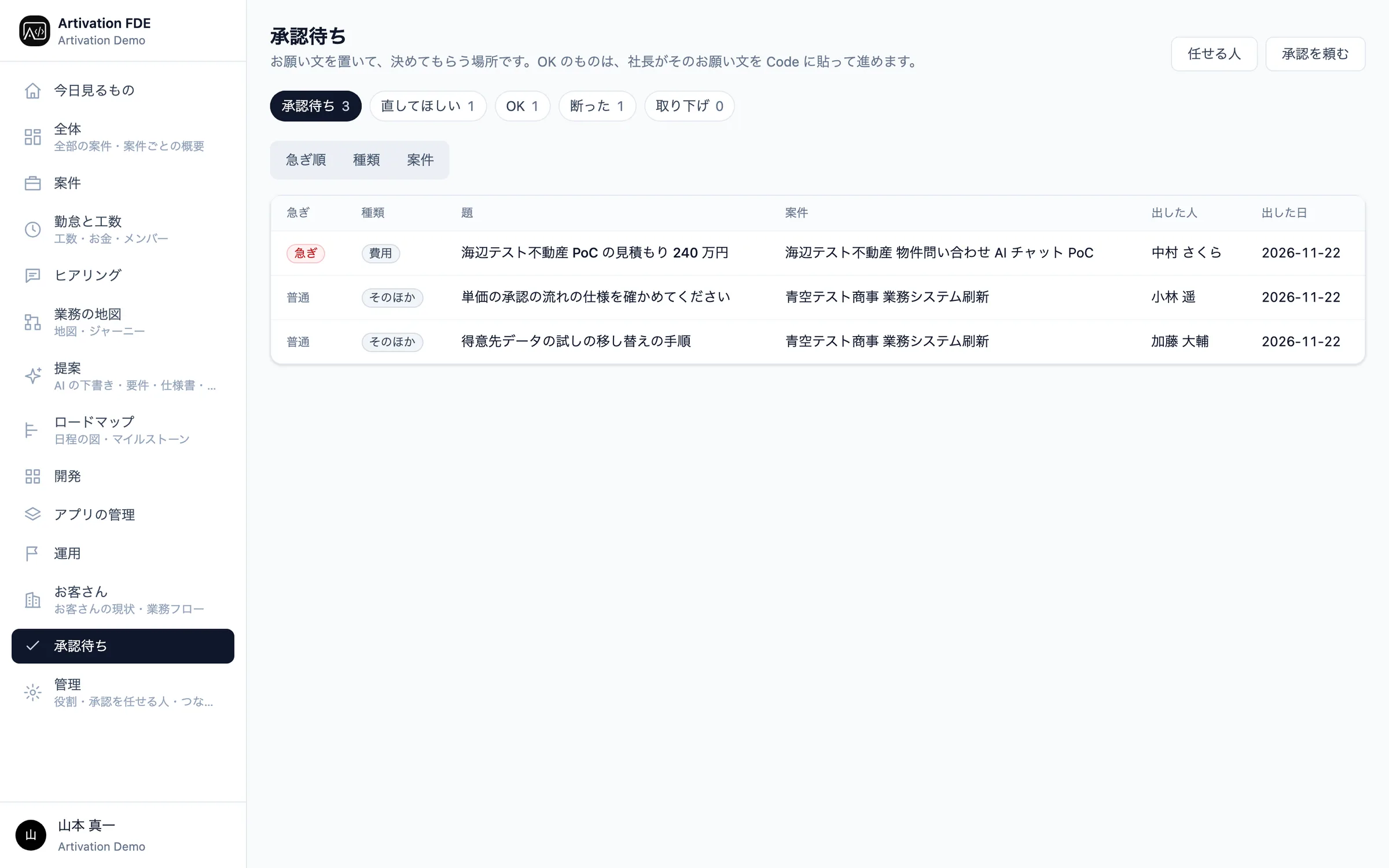
Return approvals in bulk, such as releasing to production or spending money
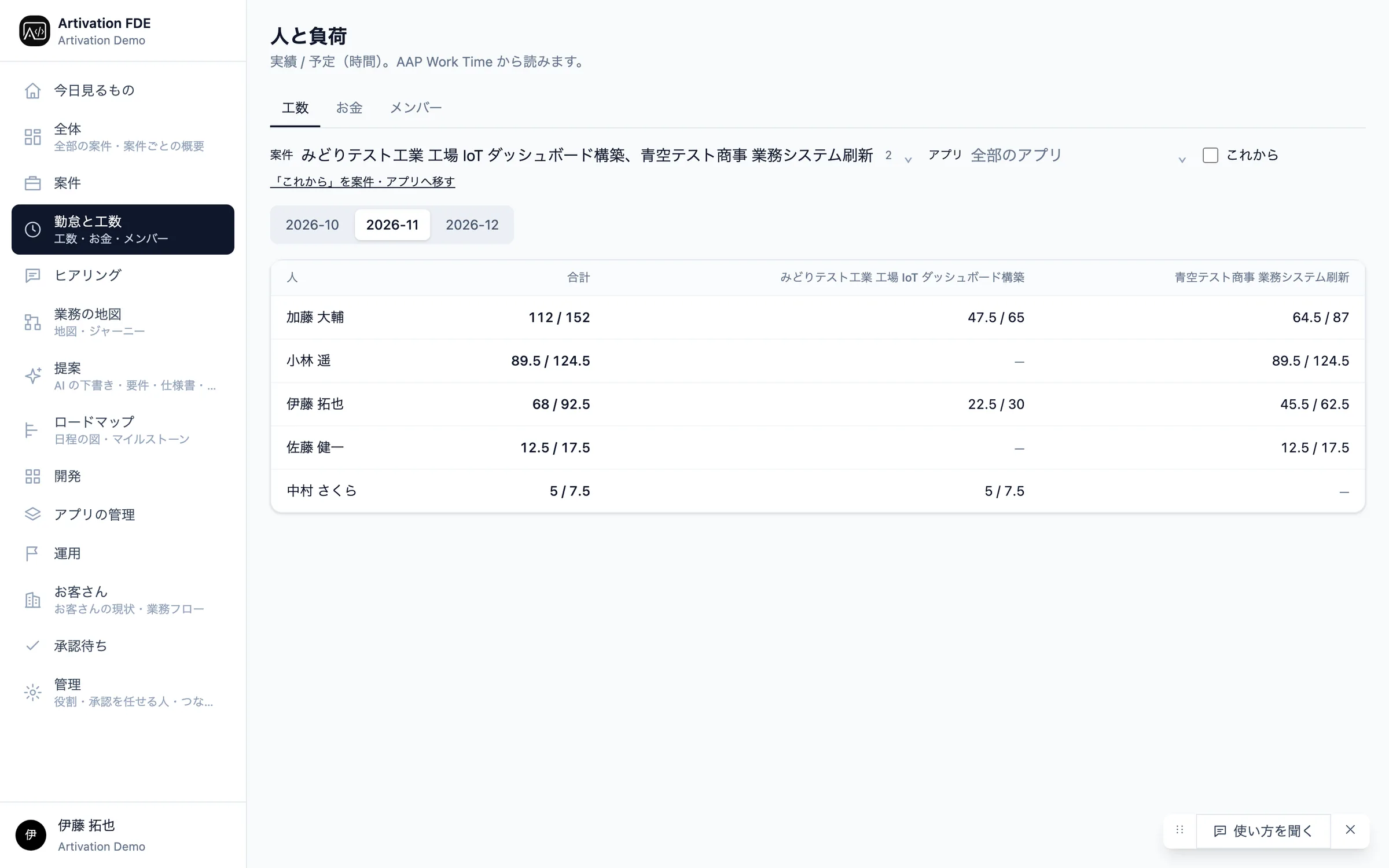
See monthly who is working on which project and how much, along with budgeted and actual costs
See how each customer uses which apps and what problems they face
Connections with
other products.
Teams can be formed from Artivation ID members.
For questions about adoption or usage,
please contact us.
You can also ask right away using "Ask AI" at the bottom right.